

Screen Display for Bambu Lab P1 Series
No se pudo cargar la disponibilidad para recoger
Utilice este texto para fomentar la comunicación o promover el intercambio en las redes sociales.
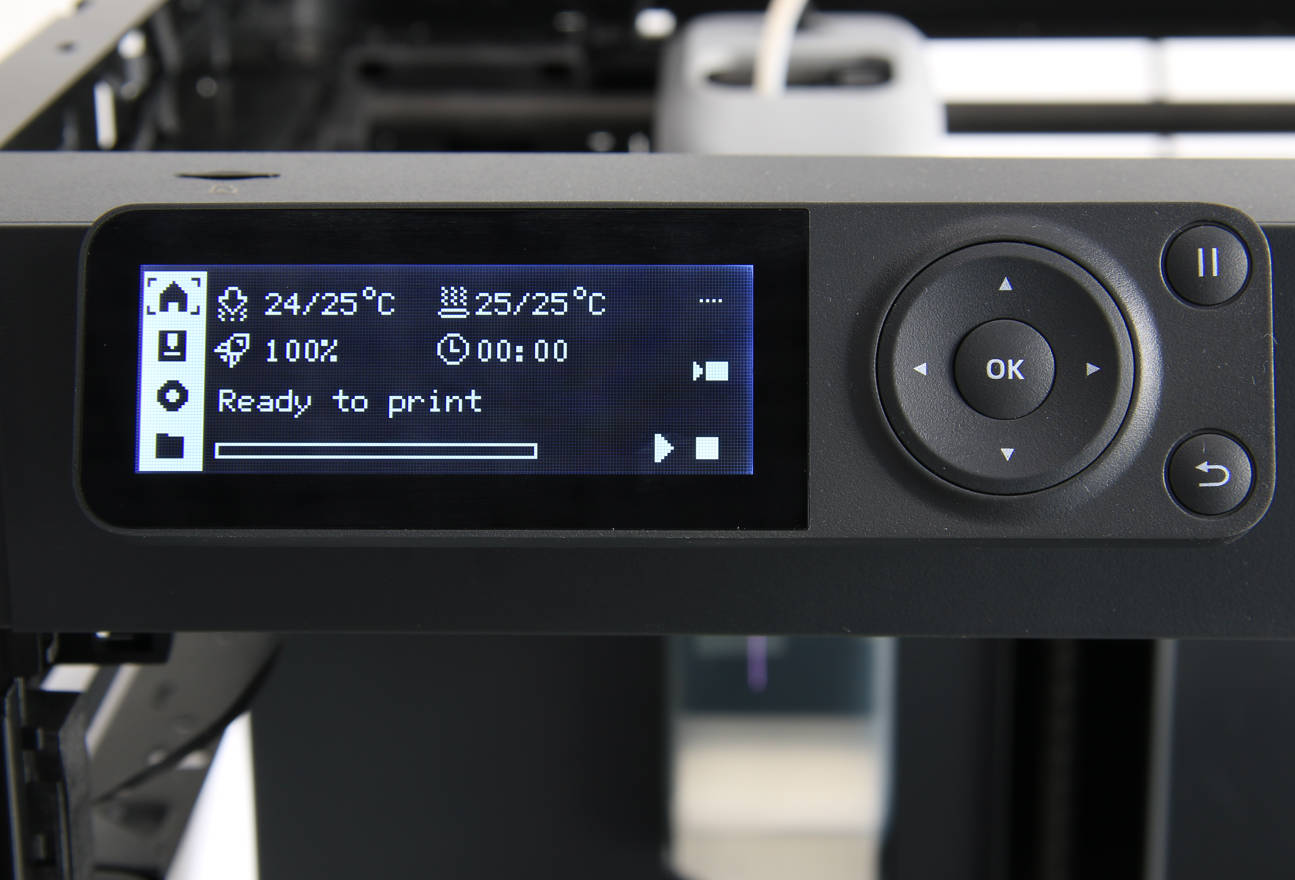
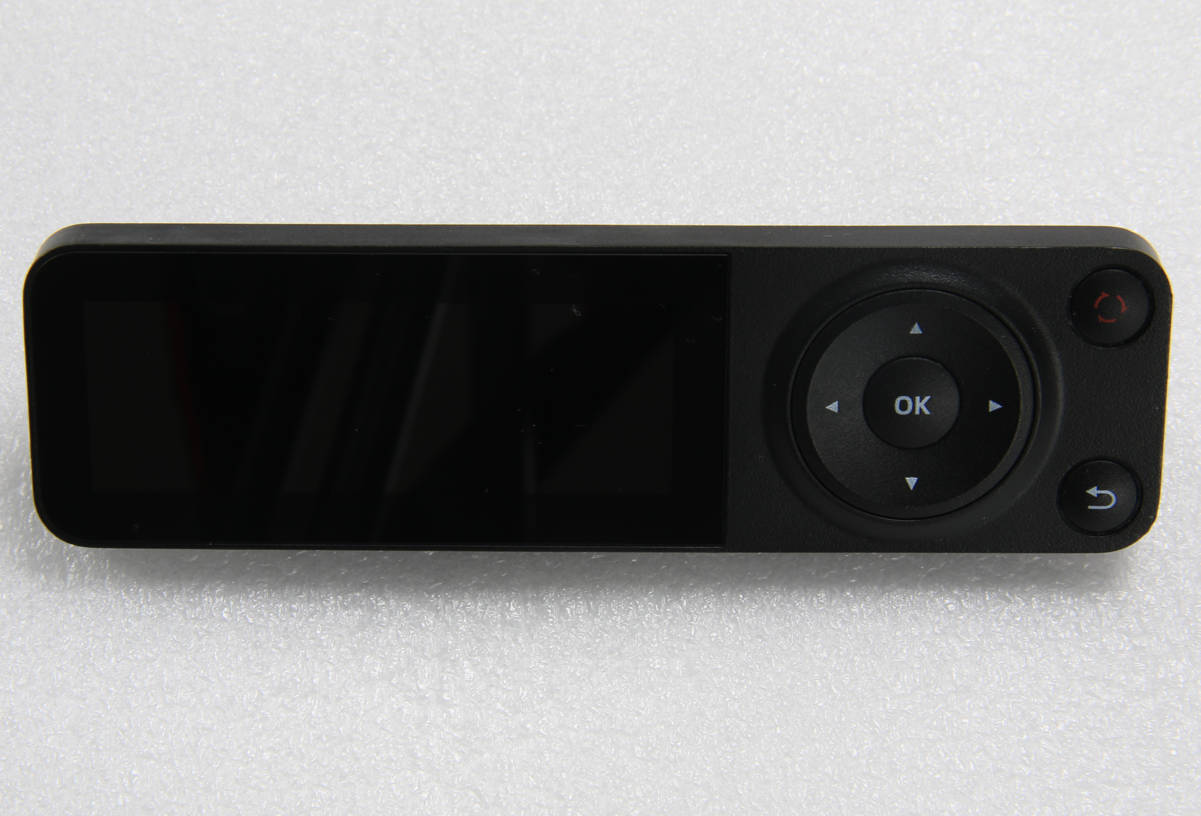
The screen module with LCD screen and physical control buttons can be used to display printing parameters and control the printer.
Compatibility: Designed for P1 Series 3D printer systems, suitable for replacing damaged or unresponsive touch screens, supporting printer control, display functions, routine maintenance, and repair applications.
Material & Structure: Built with a durable display panel, capacitive touch interface, and precision electronic components, providing stable connectivity, accurate touch input, and dependable daily operation.
Performance: Delivers responsive touch control and clear screen visibility, helping improve menu navigation, parameter adjustment, print status monitoring, and overall operating efficiency.
Installation: Direct replacement design enables straightforward installation with standard tools, simplifying display replacement, routine inspection, maintenance, and control panel servicing.
Applications: Suitable for printer repair, display module replacement, control panel restoration, and equipment maintenance, helping restore normal interface functionality and maintain reliable printing performance over extended use.
Screen
A page guide you how to remove and install the screen on P1P
Disassembly
Step 1 - Unlock the screen
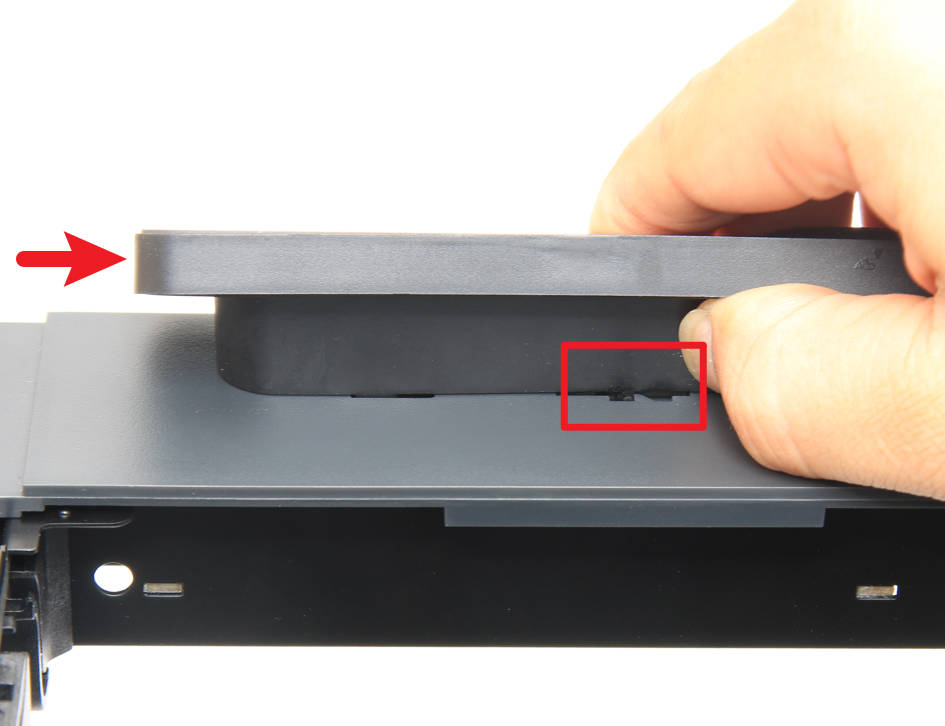
Press the buckle below the screen to unlock it, then push the screen to the right to release the screen.
Step 2 - Remove the screen
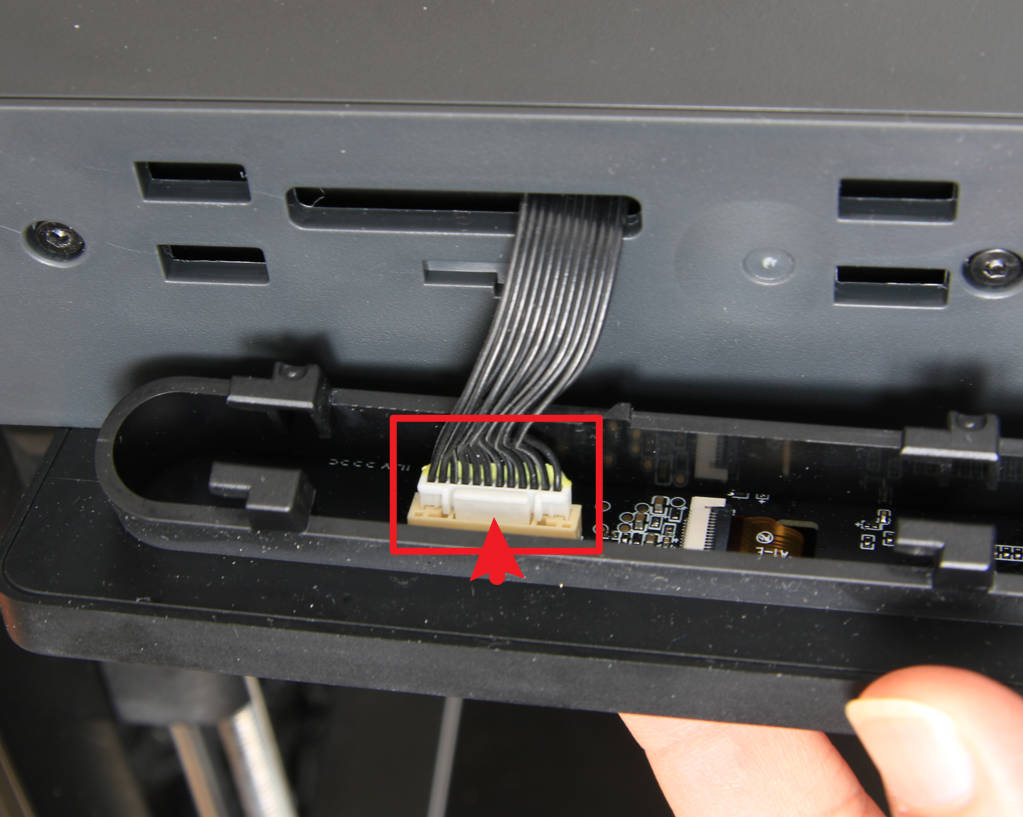
Press the connector latch, disconnect the cable, and remove the screen.
Assembly
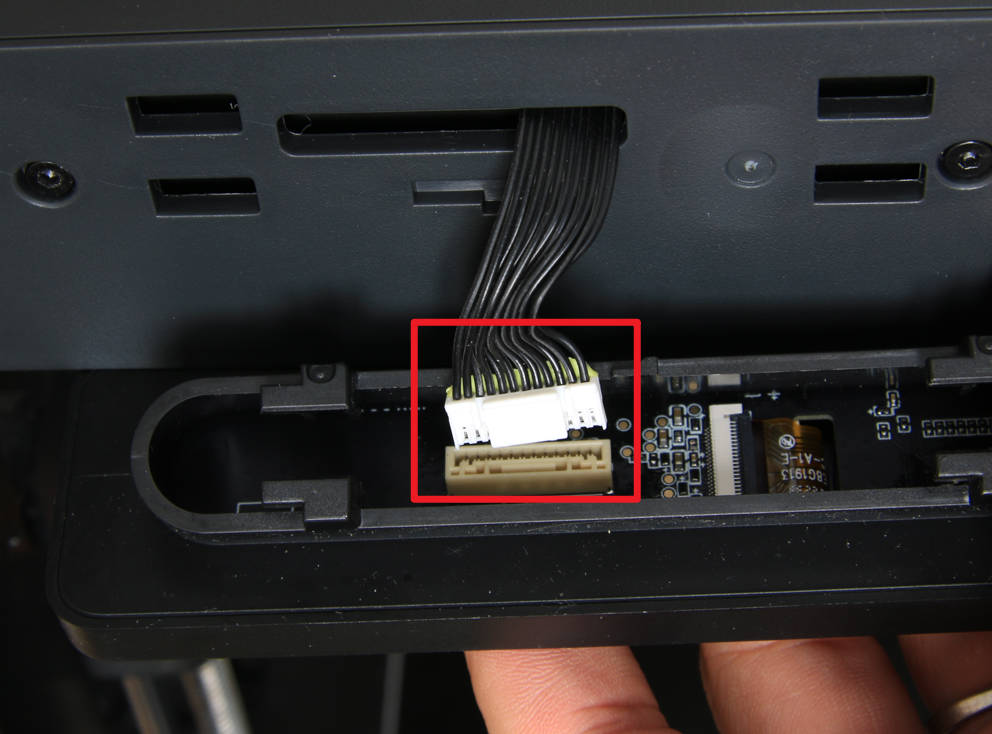
Step 1 - Connect the cable
Connect the screen cable, please pay attention to the direction of the connector.
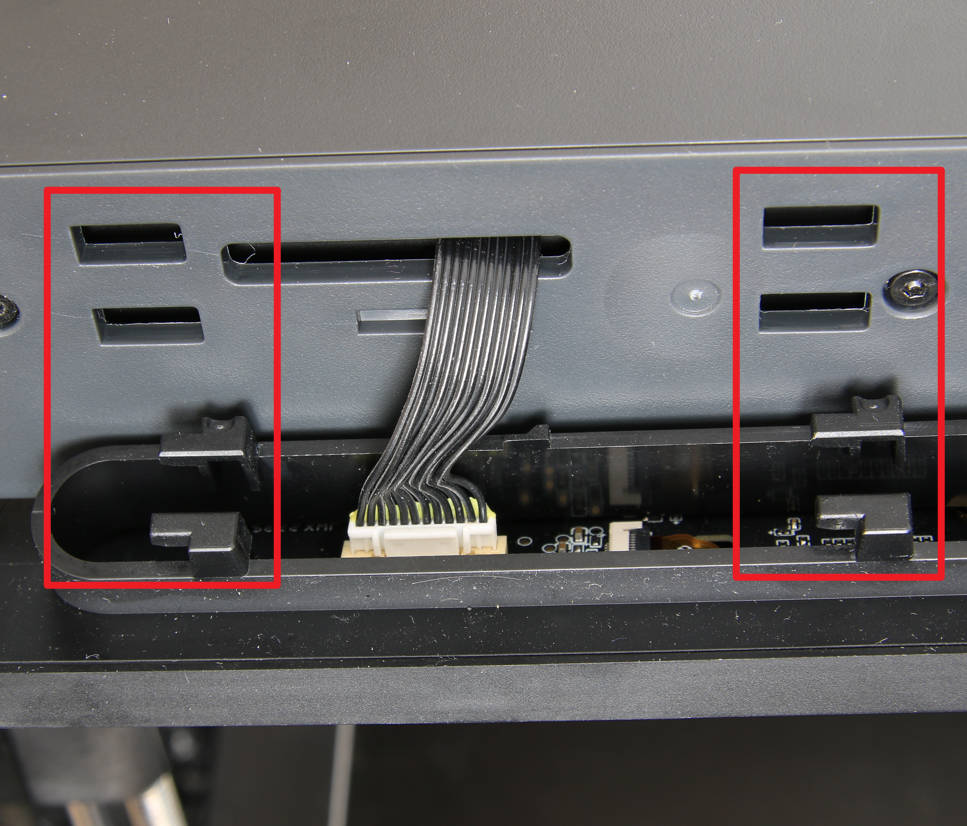
Step 2 - Install the screen
Align the buckle positions and install the screen.
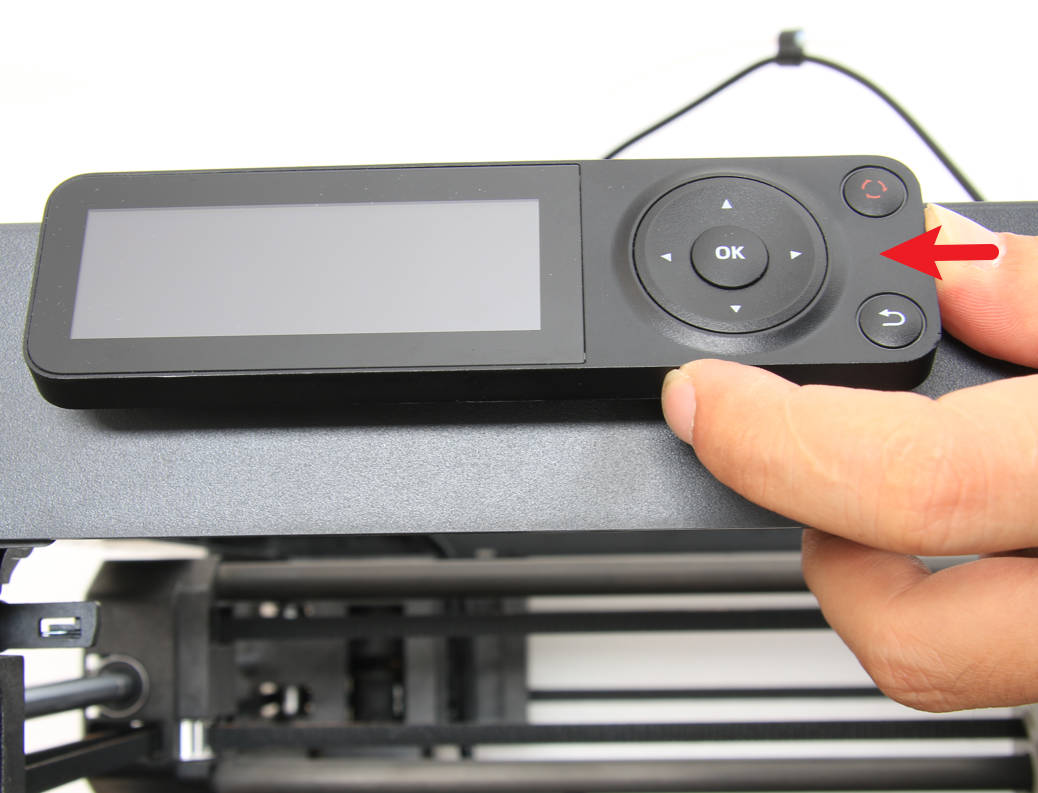
Step 3 - Lock the screen
Push the screen to the left to install the screen in place.
How to verify
Power on the printer, confirm that the screen can be displayed normally and that the buttons on it can respond normally, then the installation is successful.