QIDI Polar Cooler for MAX4
No se pudo cargar la disponibilidad para recoger
Utilice este texto para fomentar la comunicación o promover el intercambio en las redes sociales.
QIDI Polar Cooler
The QIDI Polar Cooler is an advanced external cooling solution for FDM 3D printers designed to actively cool the extruder’s cold side and filament feed path. It prevents heat creep-related issues and improves reliability when printing with temperature-sensitive and engineering materials.

Prevents heat creep and clogs
Efficiency air-cooled direct-blow extruders and filament,reduce the Clogging Situation by 90%.

Optimizes extrusion temperatures
Active cooling air control system,optimizes extrusion temperatures.
in combination with active chamber heating, ensure that large-sized PLA does not warp at the edges

Improves overall print consistency
Chamber heating and polar cooler on,ensure that large-sized PLA does not warp at the edges.


How to Connect Extruder Cooler to Max4
Guide Video And Manual
Install Guide Video
Polar cooler user manual
Step 1
Step 2
Step 3
Step 4
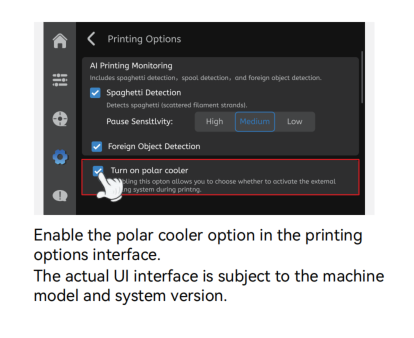
Step 5
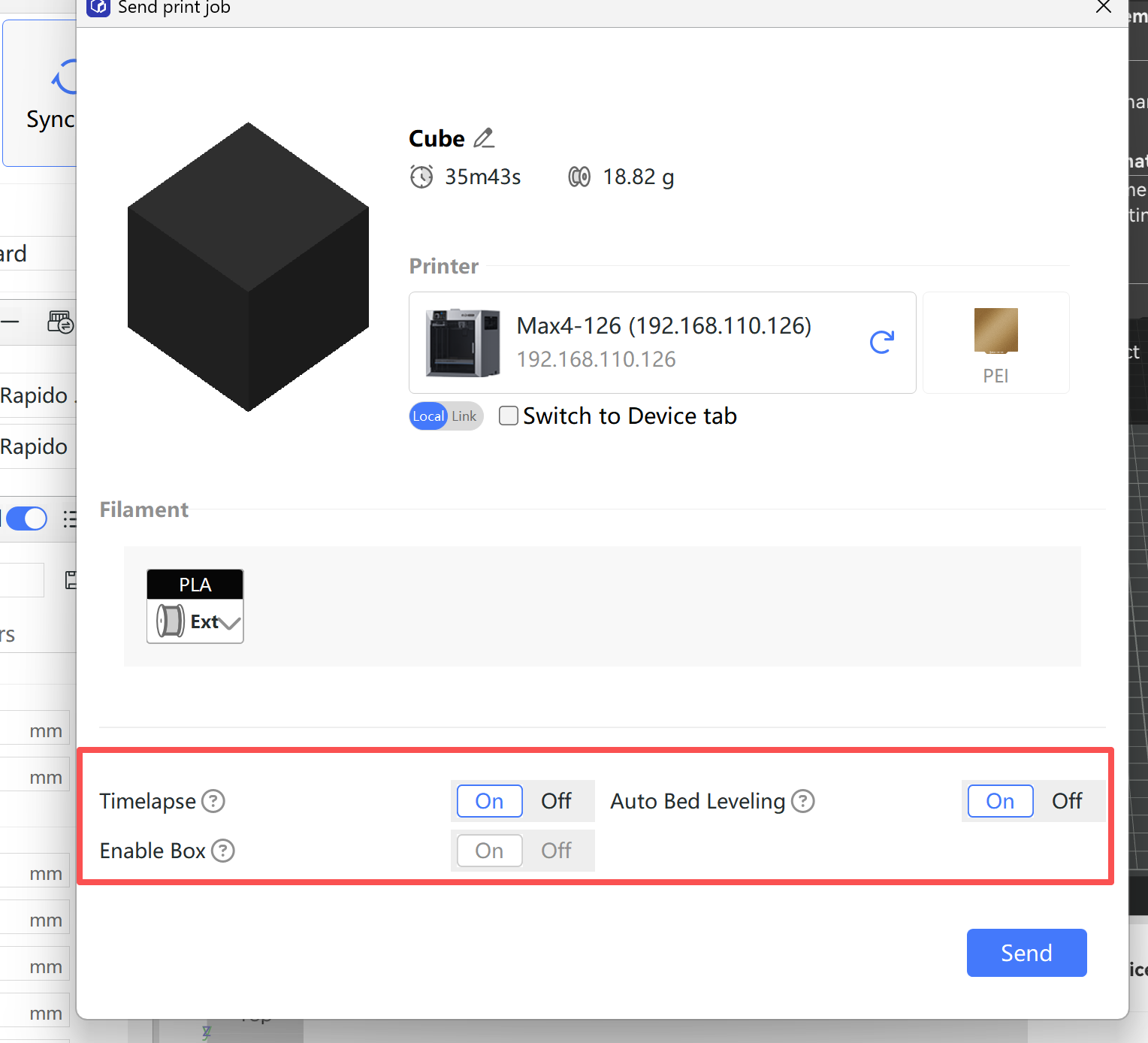
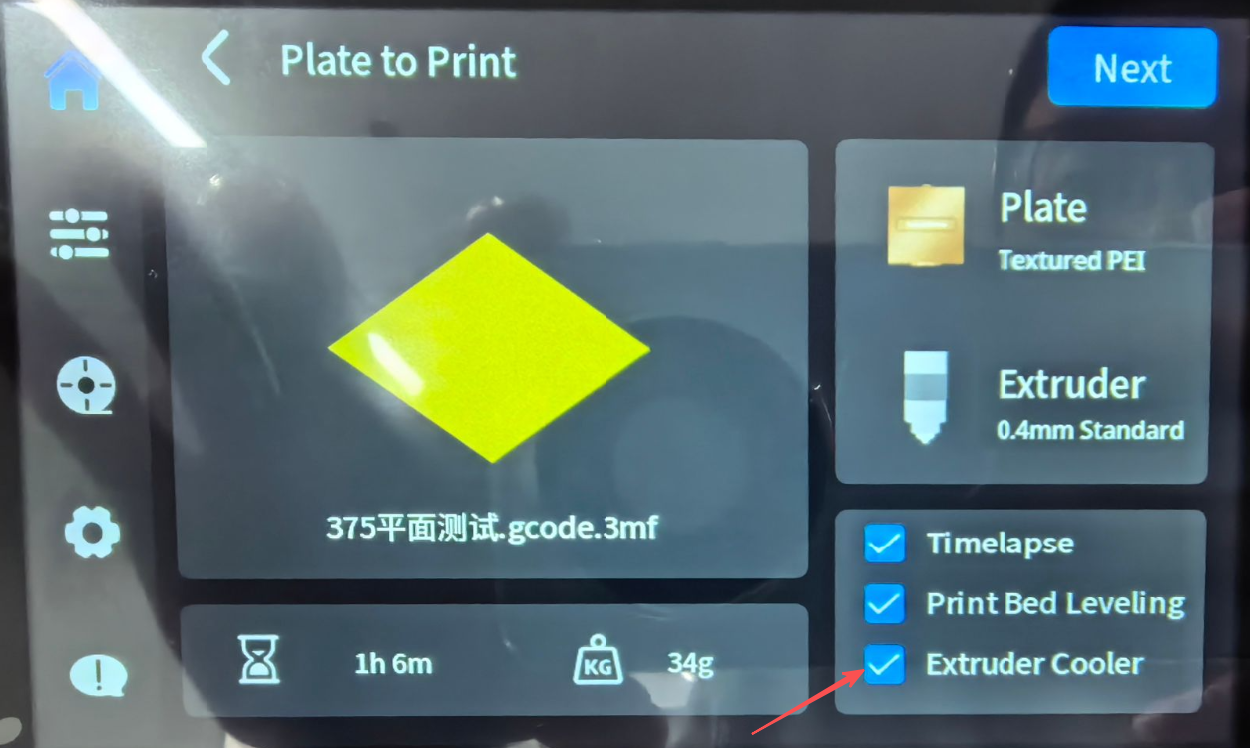
After selecting a print file and starting the print, please check the Extruder Cooler enabled.
Then the Extruder Cooler will run automatically during printing.
Note:
If the Extruder Cooler function was enabled during a previous print, it will be enabled by default when you slice and send subsequent print jobs using QIDI Studio.
If you do not want to use the Extruder Cooler, you can disable it manually in Step 4 of the setup interface.
Notes:
The Extruder Cooler will automatically turn off after the print job is completed.
At present, the Extruder Cooler needs to be enabled manually when printing starts.
An upcoming software update will add support for automatically enabling the Extruder Cooler when a print job is sent from the slicer. Stay tuned.