


High Resolution Screen for Bambu-X1 Series
No se pudo cargar la disponibilidad para recoger
Utilice este texto para fomentar la comunicación o promover el intercambio en las redes sociales.
Compatibility: Designed for X1 Series printers with a 1280 × 720 display. Suitable for replacing damaged or worn screens, restoring interface visibility, and supporting routine equipment maintenance.
Material Structure: Built with a durable display panel and precision-fit construction for secure installation. Designed to integrate with compatible control systems while maintaining accurate alignment.
Performance Features: Delivers clear image presentation and responsive touch operation for convenient menu navigation and printer control. Supports consistent display performance during regular printing tasks.
Installation & Maintenance: Designed for direct replacement with matching mounting points and connectors. Allows convenient installation, removal, inspection, and routine maintenance using standard tools.
Application Expansion: Suitable for display replacement, equipment servicing, maintenance projects, and printer upgrades. Compatible with supported machines used in workshops, educational environments, maker spaces, and continuous printing operations.
Replacing the LCD High Resolution Screen
Guide on how to replace the High Resolution Screen / Touch Screen
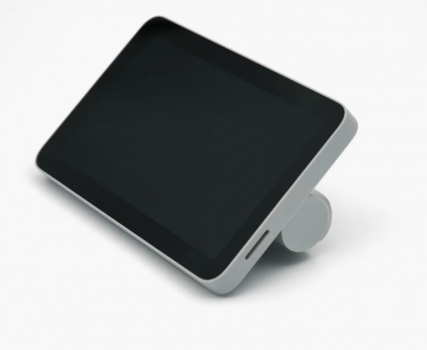
What is the LCD High Resolution Screen
The high resolution screen is a 5-inch 1280*720 touch screen, that you can use to control the printer.
When to replace the LCD High Resolution Screen
If the FPC cable checks OK, but the LCD screen is permanently black, or flickers, or has some other display issues.
Tools and materials needed
New LCD high resolution screen
Safety warning and Machine state before starting operation
Power OFF the printer and disconnect the power cable when doing any disassembly or assembly work.
Operation guide
Step 1 - Unlock the screen
Power OFF the printer. Tilt the screen up and press underneath with light force (see picture) to release the buckle and push rightward to unlock the LCD high resolution screen.

Step 2 - Disconnect the FPC
Press both sides of the FPC connector to unlock the connection and remove the LCD high resolution screen.

Step 3 - Connect the FPC
Pull the FPC out and insert the FPC connector into the port in the back of the LCD high resolution screen, by pressing both sides of the FPC connector.

Step 4 - Install the High Resolution Screen
Insert the excess FPC cable into the printer and mount the LCD high resolution screen into the 4 slots of the printer and push gently to the left till you hear the buckle click .

How to verify completion/success
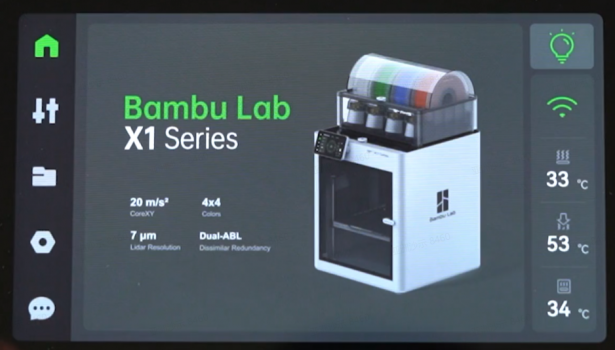
Power ON the printer. If the LCD screen lights up and the display is without errors, and the touch screen response feels normal, then the replacement is complete. Success!!
Otherwise, check all the connections again and retry. If still not OK, contact the Bambu Lab service team for further assistance.