


for Bambu Lab Nozzle Wiping Pad - P2S
Couldn't load pickup availability
Use this text to encourage communication or promote sharing on social networks.
【Premium Material】These silicone brush heads are accessories for the P2S machine and boast excellent heat resistance. As high-end accessories, they are soft, protecting the nozzle while gently cleaning and thoroughly removing residue. The silicone material also offers good flexibility, allowing the brush heads to reach areas that the nozzle cannot reach, making them more efficient than ordinary cleaning tools.
【Features】These silicone brushes are professional P2S accessories that enable precise and efficient cleaning. They help maintain nozzle performance and achieve better print results. The soft silicone bristles conform closely to the nozzle surface, reaching every nook and cranny to remove hidden residues that may affect print quality. This precise cleaning function also extends nozzle life, saving you the cost of frequent nozzle replacements.
【Easy To Use】These silicone brushes are a convenient accessory that can be installed and used without complicated tools or professional skills. They can be easily installed on the printer's cleaning table without any modifications to the existing structure. Their lightweight and compact design makes them easy to handle, and installation can be completed in just a few seconds. Even if you are new to 3D printing maintenance, you can easily use these brushes.
【Wide Applications】As accessories, they are also available for relevant printer models, providing flexible options for different users. Whether you need to clean the nozzles or other parts of the printer, these brushes can handle it all, delivering consistent performance. Using these brushes, you can keep your P2S printer in optimal condition, ensuring smooth operation and good print quality every time.
【What You Will Get】You will receive six silicone cleaning brushes for your use. Our silicone cleaning brushes have a long lifespan and provide you with a great user experience.If you have any questions about our products during use, please let us know and we will solve the problem for you as soon as possible. We sincerely hope to bring you a pleasant experience.
Heat-Resistant & Scratch-Free Silicone: Crafted from good-quality, heat-resistant silicone that won't melt, warp, or scratch your nozzle surface. Sturdy, reusable, and easy to rinse clean—built to perform print after print.
Tool-Free Installation, Instant Use: Simply slide the brush into place—no screws, no tools, no hassle. The secure plug-and-play design stays put during cleaning and removes in seconds when you need it.
Protect Your Printer & Improve Print Quality: Regular nozzle cleaning reduces filament clogs, prevents uneven extrusion, and extends the life of your hotend. An essential maintenance tool that saves you time, filament, and frustration.
Nozzle Wiping Pad Replacement Guide for the P2S
A step by step guide to replace the nozzle wiping pad on the P2S
Nozzle Wiping Pad
The nozzle wiping pad is installed on the purge wiper assembly and is used to remove residual material from the nozzle. It is made of soft silicone to ensure good contact with the nozzle during wiping.

When to Use This Guide
Replace the nozzle wiping pad if it is damaged or detached.
The pad normally stays in place during printing. However, it may be scraped off if the printer moves along an abnormal path (e.g., due to G-code errors or firmware bugs). You can reinstall the pad following this Wiki guide without affecting subsequent printer use.
Required Tools and Materials
New Nozzle Wiping Pad
Safety Warning
IMPORTANT!
Always power off and disconnect power on the printer before performing maintenance work. Not doing so means there is a risk of electric shock, short circuit, and damage to the printer or surrounding area.
When a maintenance task necessitates the printer being powered on, use insulated gloves for safety and pay special care not to pinch, damage, or put pressure on any exposed wires, connectors, or circuit boards. Additionally, the nozzle can be extremely hot so never touch it with exposed skin.
Remove the Nozzle Wiping Pad
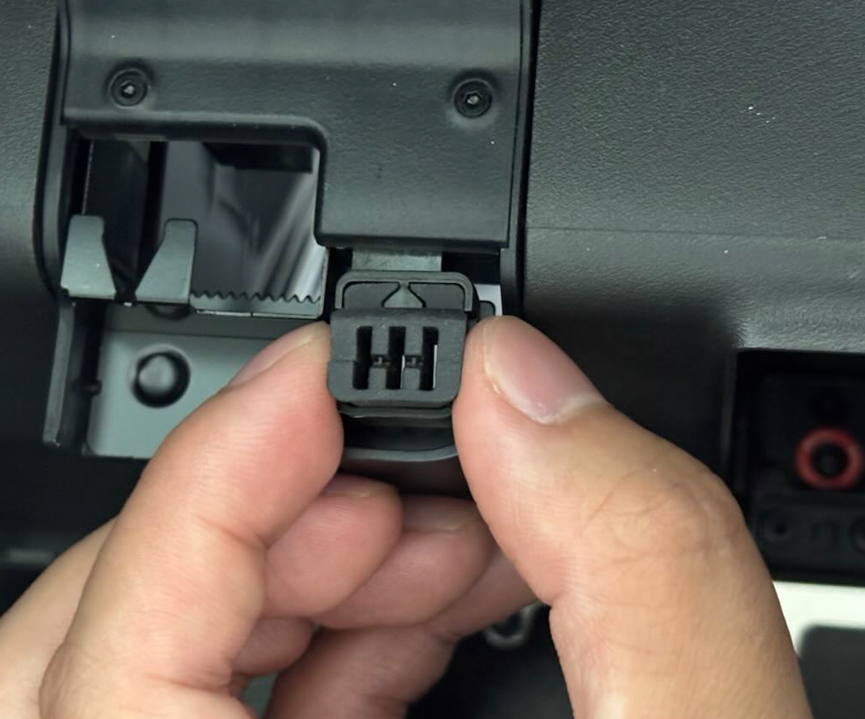
Take the nozzle wiping pad off the purge wiper assembly.
Install the Nozzle Wiping Pad
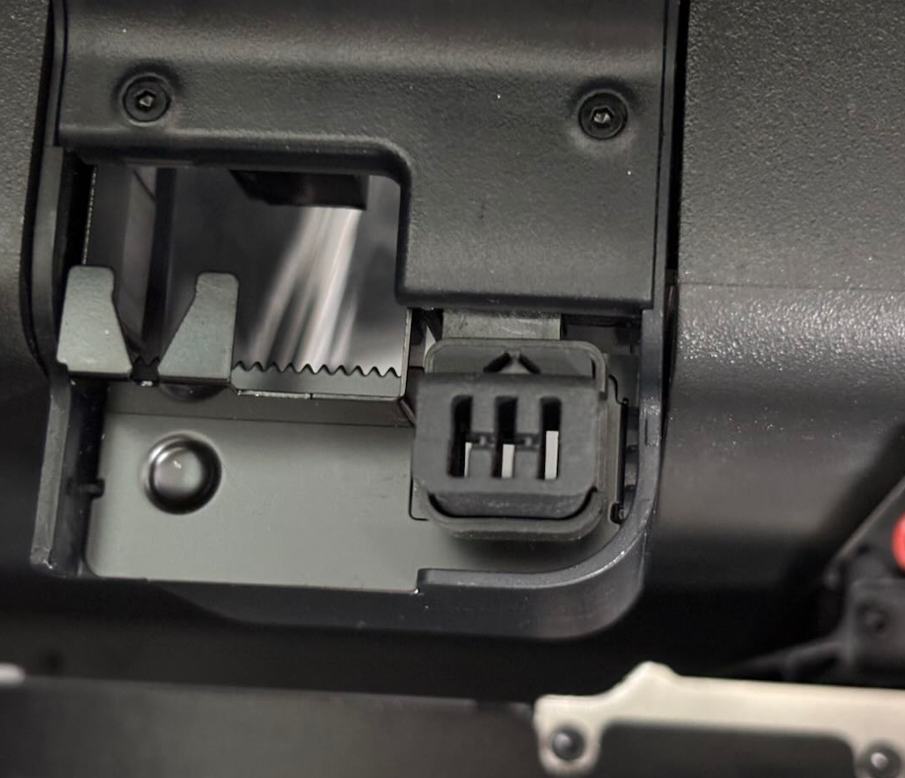
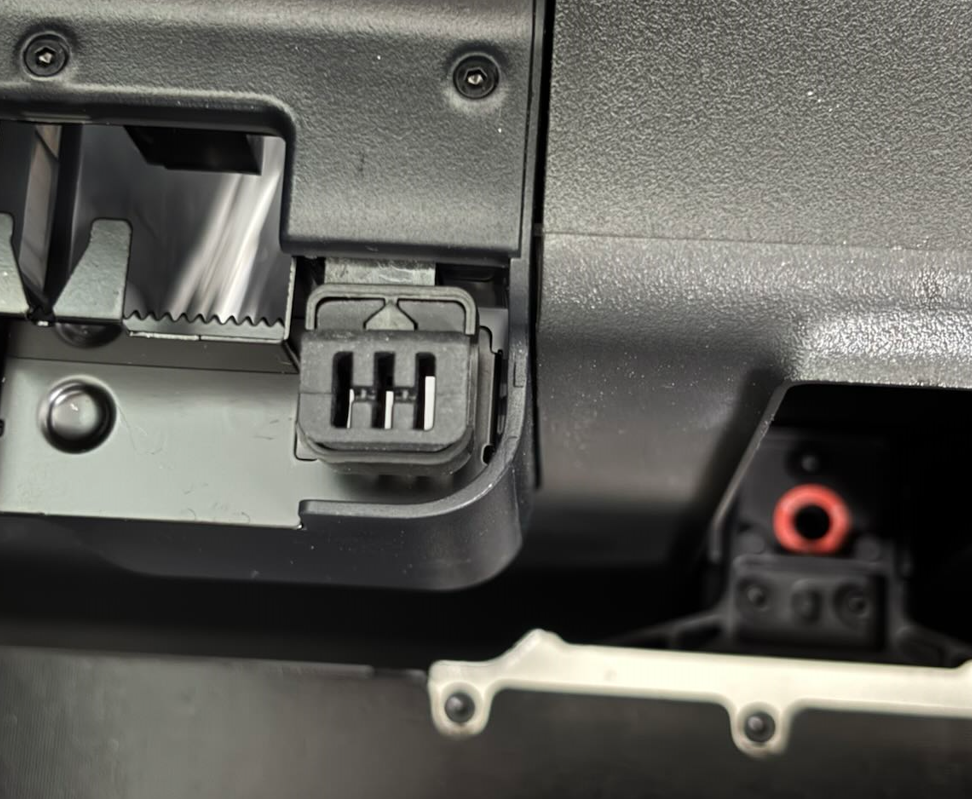
Align the two clips on the new pad with the grooves on the purge wiper assembly, then press the pad down to install it in place.
Verifying Success
Start a print and carefully observe the nozzle wiping pad after printing begins; if the pad is installed correctly, the nozzle will be cleaned as expected.